Stitchfall support
How can we help?
Start with the answers below. If something is broken, tell us and we will fix it.
The controls
On a phone
Turn it sideways. Slide left or right to walk, swipe up to jump, swipe down to crouch, and tap the playfield to turn gravity. The first time you press Play, an illustrated guide shows every gesture, and Guide on the Home screen shows it again.
On a keyboard
A and D or the arrow keys move, W, Up or Space jumps, S or Down crouches, and Shift or a click turns gravity. R restarts the room, P or Escape pauses, M switches the sound and F switches fullscreen.
Frequently asked questions
How do I play Stitchfall?
Collect the sewn buttons in each room to open its zipper, then walk through. On a phone, slide left or right to walk, swipe up to jump, swipe down to crouch, and tap the playfield to turn gravity a quarter turn. On a keyboard, use A and D or the arrow keys to move, W, Up or Space to jump, S or Down to crouch, and Shift or a click to turn gravity.
What does turning gravity do?
Each turn rotates the pull by a quarter, so a wall becomes a floor and the ceiling becomes a path. The same turn decides which lit seams are solid, sends the weighted patch and the loose pins falling the new way, and briefly stills the needle moths.
Where can I play it?
Play on Itch in a browser on a phone, tablet or computer. Turn a phone sideways. On Android, the app is in testing on Google Play, and anyone can join at chaosmos.studio/test/#stitchfall.
Is it free?
Yes, with no account. In the browser Stitchfall is free throughout, with no ads and nothing to buy, and every piece of the Wardrobe is free. The Android app is free too. It shows a few ads, never during a room, and its shop is optional, since every room opens by playing.
Does it save my progress?
Yes, on your device: each room's best stars and time, the rooms you skipped, your settings, your stats and what your runner wears. The Android app also remembers which packs you own. Play carries on from the first room you have not sewn or skipped, and Reset in Settings starts over, keeping your settings and purchases.
I came apart. Do I lose my buttons?
The buttons you carry fly back to where you found them. Touch a flower to bank them: banked buttons stay sewn on, and the flower becomes the place you come back to.
How do I jump when I am on the ceiling or a wall?
Jumping always pushes away from the surface you stand on. On a phone, swipe away from your feet. On the ceiling that means swiping down.
Can I skip a room?
Yes, once you have unravelled 5 times in a room and the room after it is not open yet: the pause page offers the skip. A skipped room earns no stars and opens the next one, and you can come back to sew it later. Skipping is free in the browser and with the Supporter pack. Otherwise the Android app asks you to watch a short video first, or to play a quick taste of one of our other games when no video is ready.
Does Stitchfall have ads?
Not in the browser. The Android app has a few, and none ever covers a room. Once you have sewn 3 rooms, a banner sits at the foot of the menu pages, such as Levels and the Wardrobe, and never on Home or the screen you play on. Once you have sewn 12, an ad may come when you tap Next after sewing a room: at most once every 4 rooms you sew, never in the first 3 minutes after the app opens, and never within 4 minutes of another full-screen ad. Videos play only when you ask to skip a room. The Supporter pack turns the banner and the ads between rooms off for good.
What can I buy?
Only in the Android app, and nothing is needed to play. The Supporter pack turns off the banner and the ads between rooms for good, and makes skipping a room free. Every room opens every room at once, while stars are still earned by sewing each one. The Wardrobe pack adds every runner and every room fabric, while stars open the trails, unravel styles and buttons. The Complete pack holds all three, for less. Each is bought once and stays with your Google account, and Restore in the Shop brings it back if it ever does not. Tips are a way to say thanks, and open nothing. The browser version sells nothing.
Can I turn off the sound?
Yes. Sound and Music are in Settings on the Home screen, and M turns music and effects on or off during play on a keyboard. Shake in Settings turns off the screen shake, and on a phone the buzz too.
Is there a fullscreen mode?
In the browser, yes, where the browser allows it. It is in Settings, and F switches it on a keyboard. The Android app always fills the screen.
Does Stitchfall collect my data?
The browser version collects nothing, and your progress stays in your browser's storage on your device. The Android app has no account either, and keeps your progress on your phone. It counts how the game is played with Google Analytics for Firebase, such as which rooms are started, sewn and skipped, only where the law needs no consent for it and never for ads. Its ads come from Google AdMob, which collects device and advertising identifiers, approximate location from your IP address and how you interact with ads, with your consent where the law requires it. The privacy policy has the details.
Is the game finished?
Not yet. Stitchfall is still growing, room by room. Tell us which rooms you liked and where you got stuck, on the support page or by email.
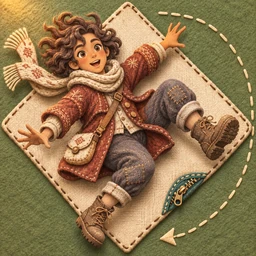
Play Stitchfall
Turn gravity through a world sewn from cloth.
Feedback and ideas
Leave a comment below. It needs a GitHub account, and comments are public. If you would rather not sign in, email us instead. For help from other players and ideas for new rooms, there is also the Chaosmos community.